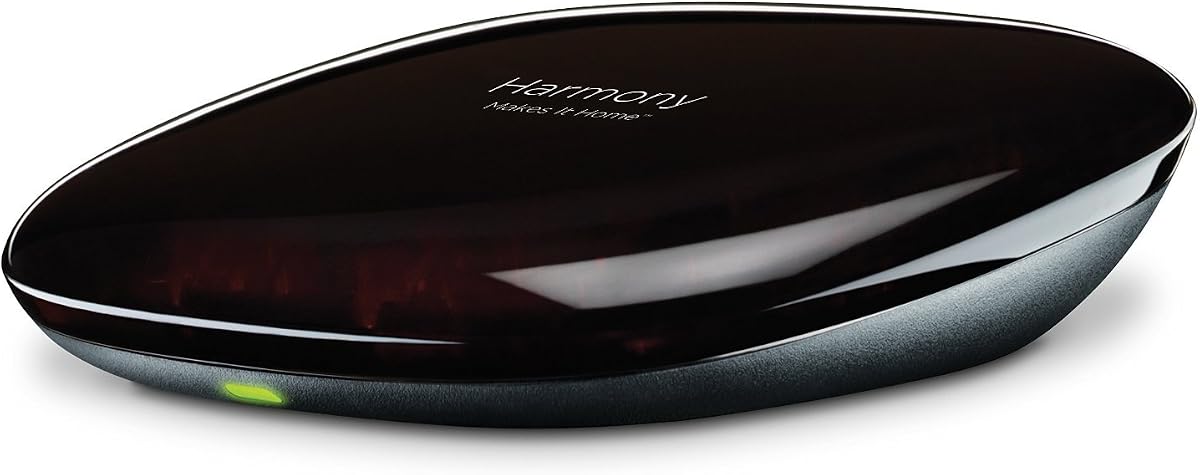
logitech 915-000238 Harmony Home Hub for Smartphone Control of 8 Home Entertainment and Automation Devices (Renewed)
3.9Editor score
Compatible with Alexa voice control
Closed cabinet control support
Create customized activities
This guide compares the top Logitech Harmony Home Hub options for seamless control of TVs, lights, and more using smartphones and voice assistants.
Finding the right central hub for your smart home entertainment system can be overwhelming. You need a device that connects effortlessly with your existing gear and provides intuitive control without cluttering your living space with multiple remotes.
We have analyzed the most reliable options available today to help you make an informed decision. Our comparison focuses on connectivity range, ease of setup, app functionality, and overall user experience across different models and configurations.
Each selection highlights specific strengths for various home setups. While prices may fluctuate due to market conditions, the core features and performance metrics remain consistent with manufacturer specifications and user feedback collected over time.
3.9Editor score

3.7Editor score

3.8Editor score
The following table provides a side-by-side overview of all ten selected products. It highlights key specifications and features to help you quickly identify which model best suits your specific home automation and entertainment needs.


This hub serves as an entry-level solution for basic home entertainment control. With a rating of 3.9, it offers straightforward connectivity for up to eight devices without requiring advanced configuration skills.
We may earn a commission when you buy through this link, at no additional cost to you.
Its primary strength lies in simplicity. It connects to your TV and cable box effectively, allowing for basic power and volume control functions that streamline daily usage significantly.
However, the lack of modern smart home integration limits its long-term utility. Users seeking voice control or app-based customization might find this model insufficient for evolving needs.
It is suitable for those needing immediate replacement for legacy systems. If you require basic infrared control without extra bells and whistles, this remains a viable option for now.
Connects seamlessly to standard entertainment hardware for reliable performance.
Discontinued status means limited future firmware updates or support.
We may earn a commission when you buy through this link, at no additional cost to you.
The Elite model stands out as the most powerful and user-friendly option available today. It combines a remote, hub, and app to manage up to 15 devices including smart lights and thermostats.
We may earn a commission when you buy through this link, at no additional cost to you.
Its interactive full-color touchscreen allows effortless navigation through channels and settings. Users can swipe to adjust volume or tap favorite channel icons with ease and precision.
One-touch Activities simplify complex routines like Watching a Movie. This feature powers on devices and adjusts settings automatically, reducing the steps needed for enjoyment.
Ideal for tech enthusiasts wanting total control, it balances hardware and software well. While the setup is involved, the result is a streamlined experience worth the effort for most.
Visual interface makes selecting sources and adjusting settings intuitive.
Integrates with Philips Hue lights and other connected home devices.
We may earn a commission when you buy through this link, at no additional cost to you.
This model bridges the gap between physical remotes and smartphone applications effectively. It supports Wi-Fi networks and allows control via an app on iPhone or Android devices easily.
We may earn a commission when you buy through this link, at no additional cost to you.
The included remote ensures you have a tangible backup when needed. This dual approach offers flexibility for users who prefer physical buttons but want app versatility for favorites.
Setup supports future-proofing by accommodating up to 8 devices. Hidden consoles behind cabinet doors are accessible via the Hub component for uninterrupted operation.
Buyers seeking a hybrid control method will appreciate this design. While the app experience is strong, the option to switch to a handheld remote adds significant reliability to the system.
Supports 802.11g/n Wi-Fi for stable local connection.
Works with Xbox and PS3 alongside major streaming services.
We may earn a commission when you buy through this link, at no additional cost to you.
The Ultimate Hub is specifically engineered for hidden devices behind cabinet doors. It transforms your iOS or Android device into a powerful universal remote using simple touch gestures.
We may earn a commission when you buy through this link, at no additional cost to you.
Navigation relies on intuitive swipes and taps to select channels or movies. This streamlined interface reduces clutter and keeps controls organized within your smartphone interface naturally.
It supports advanced control of up to 8 devices easily. The included IR mini-blaster ensures signals reach devices stored away from direct line of sight effectively.
Perfect for minimalist setups, this hub prioritizes mobile interaction over hardware. If you value clean aesthetics and app-based control, it delivers exactly that functionality without compromise.
IR mini-blaster extends range to concealed electronics.
Access Netflix and YouTube directly via connected devices.
We may earn a commission when you buy through this link, at no additional cost to you.
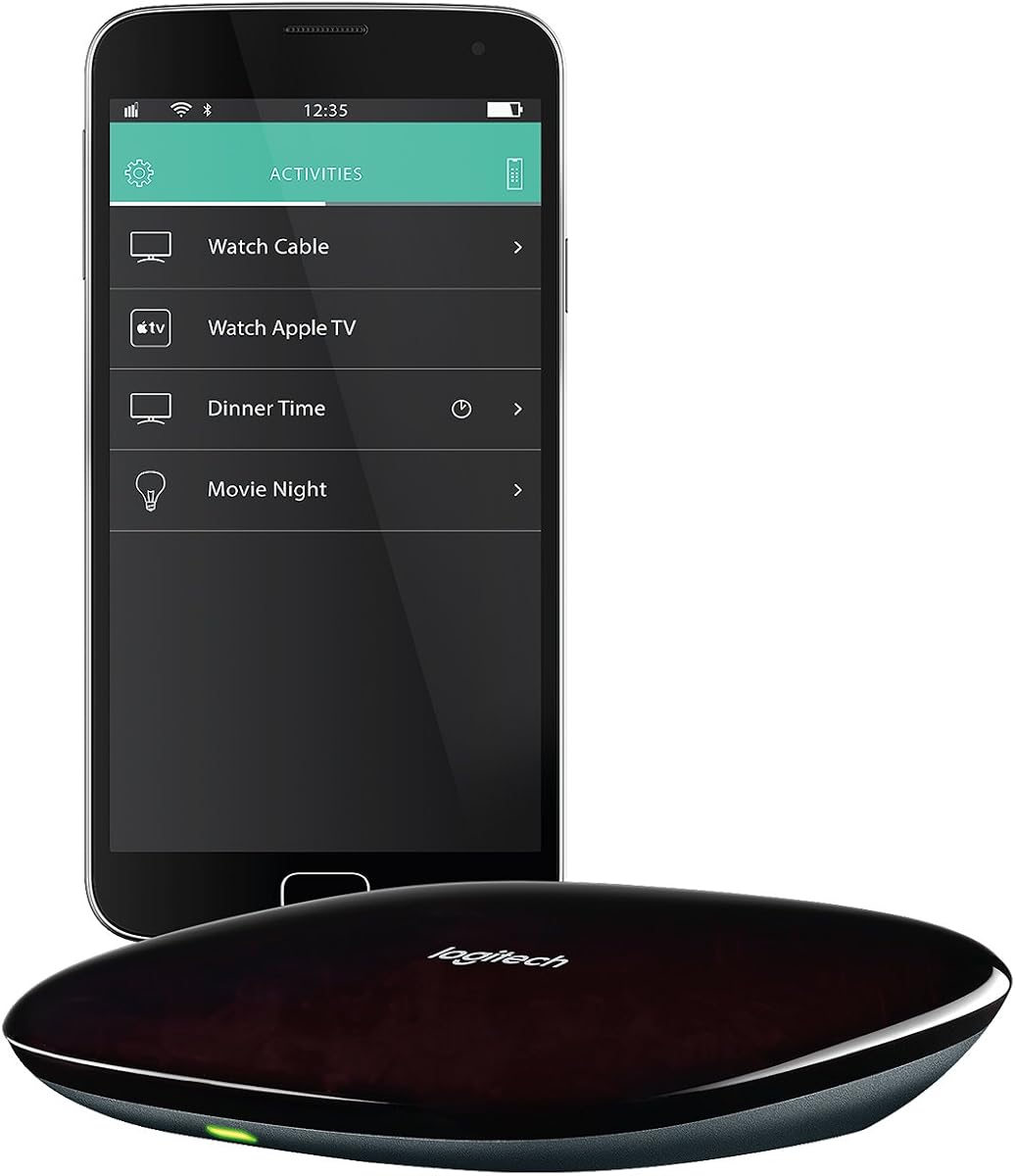
This renewed model offers a cost-effective entry into smart home automation. It combines remotes and apps into a single interface, supporting up to 8 devices including automation tools.
We may earn a commission when you buy through this link, at no additional cost to you.
Compatibility with Alexa allows voice commands for entertainment systems. You can create customized activities like turning on lights or launching specific streaming services instantly.
Closed cabinet control remains a strong feature for hidden electronics. This functionality ensures your hub works even if devices are stored inside furniture or walls.
For budget-conscious buyers, this option delivers premium features at a lower cost. While the condition is renewed, the performance remains consistent with original expectations for most users.
Easily control devices using voice commands via Alexa.
Tailor activities to match specific daily routines.
We may earn a commission when you buy through this link, at no additional cost to you.
This unit focuses heavily on the physical remote experience with a dedicated touchscreen. It is a black unit from the Ultimate Home series designed to simplify home control.
We may earn a commission when you buy through this link, at no additional cost to you.
The interface provides visual feedback directly on the device itself. Users appreciate the tactile interaction combined with touch sensitivity for navigation without needing a phone.
As a renewed product, it presents potential risks regarding battery health. Still, the core functionality remains intact for those preferring a standalone controller over apps.
Ideal for households avoiding smartphone reliance, it offers a dedicated control point. If you prefer a physical object in your hand during TV sessions, this is a solid choice.
Classic handheld form factor with integrated screen.
Renewed items offer cost savings but vary in battery life.
We may earn a commission when you buy through this link, at no additional cost to you.
This model combines premium Elite features with voice capabilities at a renewed price. It supports up to 15 devices including connected home items via a full-color touchscreen.
We may earn a commission when you buy through this link, at no additional cost to you.
Activities like Watch a Movie can be activated with a single touch. Compatibility with Amazon Alexa adds another layer of convenience for hands-free operation.
The Harmony app turns smartphones into universal remotes seamlessly. This connectivity centralizes control allowing you to manage everything from one place without physical hardware limits.
Best for smart home owners wanting voice command integration, it stands out. Despite the average rating, the feature set remains strong for those prioritizing automation capabilities.
Alexa compatibility allows hands-free device management.
Simplifies complex setups with single button presses.
We may earn a commission when you buy through this link, at no additional cost to you.
This kit provides the full Elite experience including the hub remote and app. It is designed for home entertainment devices ensuring comprehensive control over your entire setup.
We may earn a commission when you buy through this link, at no additional cost to you.
The inclusion of both a hub and a physical remote offers maximum flexibility. You can choose your preferred method of interaction based on the situation instantly.
Smartphone app integration extends reach beyond the living room. It allows control via devices wherever you are, enhancing convenience for modern lifestyles significantly.
Recommended for those needing a full replacement set, this unit delivers. The renewed rating suggests reliability, making it a safe bet for a comprehensive control solution.
Includes all necessary components for immediate setup.
Physical remote provides backup when app is unavailable.
We may earn a commission when you buy through this link, at no additional cost to you.
Focusing on the remote itself, this unit offers a robust interface for controlling 15 devices. It supports a massive library of over 270,000 devices for broad compatibility.
We may earn a commission when you buy through this link, at no additional cost to you.
The full color touchscreen simplifies navigation between channels and settings easily. Its intuitive design ensures you can manage volume and favorites without confusion or struggle.
Since it is sold without the hub, existing setup must be compatible. This makes it ideal for upgrading the interface while keeping your current infrastructure intact.
Best for users needing just a remote upgrade, it fits specific needs. While not a standalone hub solution, it provides excellent value for replacing a worn-out interface.
Supports over 270,000 devices across various brands.
Touchscreen ensures smooth and responsive control.
We may earn a commission when you buy through this link, at no additional cost to you.
The 1100 represents a legacy premium model with a 3.5-inch full-color touch screen. It supports activity-based controls allowing you to customize icons and screens per preference.
We may earn a commission when you buy through this link, at no additional cost to you.
RF wireless capability ensures signals pass through cabinets without line of sight requirements. This distinguishes it from standard IR models and offers superior range and reliability.
It supports thousands of brands ensuring wide compatibility across home electronics. The charging stand included keeps the device powered and ready for immediate use easily.
Best for high-end setups needing robust features, it remains a powerful option. While newer models exist, its RF and customization features make it uniquely strong for complex homes.
Passes through cabinets better than traditional IR signals.
Icons and screens tailored to specific user workflows.
We may earn a commission when you buy through this link, at no additional cost to you.
Selecting the right hub depends on your device count, connection type, and desired interface style. This guide outlines critical factors to consider before making a purchase.
Most hubs support up to eight devices by default, but premium models like the Elite manage up to fifteen. Check your current entertainment setup including streaming boxes and consoles to ensure it fits within the limit. Always verify if your specific brands are supported in the database before purchasing.
Ensure the hub lists your major equipment explicitly to avoid pairing errors later.
Wi-Fi and Bluetooth connectivity allow for app control and voice integration. Models with IR blasters are necessary if devices are hidden behind cabinet doors. Some premium options offer RF capabilities which provide better range than standard infrared.
Choose Wi-Fi models for smart home features and RF if signal obstruction is a concern.
Touchscreens offer a modern interface but require battery management and learning curves. Physical buttons provide tactile feedback and are easier for quick changes. Decide based on whether you prefer visual navigation or traditional button presses.
Touchscreens suit customization while buttons suit quick access and simplicity.
If you use Alexa or other voice assistants, look for hubs explicitly stating compatibility. This allows voice commands for power, volume, and channel switching without reaching for a remote. Some models support Philips Hue lights and other smart bulbs directly.
Prioritize voice compatibility if you use smart speakers for control.
One-touch Activities allow you to set complex routines like Watch Movie with one press. These routines turn on multiple devices and adjust inputs simultaneously. Look for apps that allow deep customization of these actions for better control.
Customizable activities save time by automating multi-device setup.
Renewed options often cost less but may have shorter battery life or cosmetic wear. Check seller ratings and return policies carefully when buying refurbished units. New units guarantee full warranty coverage but come at a higher price point.
Opt for new if long-term reliability is paramount over initial savings.
iOS and Android apps extend control beyond the living room for added convenience. Ensure the app is actively updated to support new devices or features. Some models allow phone replacement of the remote entirely.
Verify app availability and update frequency before committing to a model.
First, connect the Hub to a power outlet and ensure it is within range of your entertainment devices. Download the Harmony app on your smartphone and follow the on-screen setup wizard to pair devices via infrared or Bluetooth signals.
Second, use the Activity feature to automate common routines. Select Watch Movie from the app to turn on your TV and sound system simultaneously. Test these activities to ensure all inputs switch correctly.
Third, keep the Hub away from direct heat or moisture to extend its lifespan. Regularly update the firmware through the app to maintain compatibility with new smart home devices and ensure smooth operation.
Yes, most Harmony models support standard cable boxes and satellite receivers. You will need to select the correct brand during setup to ensure infrared codes match your equipment.
Absolutely, many models allow the smartphone app to act as a standalone remote. You can control volume and channels directly through the app interface if desired.
Yes, models like the Elite explicitly support Amazon Alexa for voice commands. This allows you to control devices using spoken instructions through compatible smart speakers.
Standard hubs support up to eight devices while premium ones like the Elite support up to fifteen. Check the specific product specifications to confirm the limit for your needs.
Battery life varies by model but generally lasts for a few hours of active use. Premium models often come with charging stands to keep the remote powered consistently.
The app guides you through setup step by step, making it accessible for most users. If you encounter issues, customer support resources are available online for assistance.
Yes, many models integrate with Philips Hue and other smart lighting systems. You can create activities that dim lights when you start watching a movie.
Place the hub in a central location near your entertainment center. Avoid blocking the IR signal path if you are not using the included mini-blaster accessory.
The top picks offer distinct advantages depending on your specific needs. The Elite models provide the most comprehensive control while basic hubs offer simple connectivity for standard entertainment setups.
Prioritize features like voice control or app integration if you want modern convenience. Ensure the chosen model supports the number of devices in your home to avoid future upgrades.
Always verify current product listings and availability before purchasing. Prices and features may change over time so checking the latest data ensures you get the best value for your investment.